Image of New Query screen. Image of New Query screen. Image of New Query screen. Image of New Query screen. Image of New Query screen. Image of New Query screen. Image of New Query screen. Image of New Query screen. Image of New Query screen. Image of New Query screen. Image of New Query screen. Image of New Query screen. Image of New Query screen. Image of New Query screen. Image of New Query screen. Image of New Query screen. Image of New Query screen. Image of New Query screen. Image of New Query screen. Image of New Query screen. Image of New Query screen. Image of New Query screen. Image of New Query screen. Image of New Query screen. Image of New Query screen. Image of New Query screen. Image of New Query screen. Image of New Query screen. Image of New Query screen. Image of New Query screen. Image of New Query screen. Image of New Query screen. Image of New Query screen. Image of New Query screen. Image of New Query screen. Image of New Query screen. Image of New Query screen. Image of New Query screen. Image of New Query screen. Image of New Query screen. Image of New Query screen. Image of New Query screen. Image of New Query screen. Image of New Query screen. Image of New Query screen. Image of New Query screen. Image of New Query screen. Image of New Query screen. Image of New Query screen. Image of New Query screen. Image of New Query screen. Image of New Query screen. Image of New Query screen. Image of New Query screen. Image of New Query screen. Image of New Query screen. Image of New Query screen. Image of New Query screen. Image of New Query screen. Image of New Query screen. Image of New Query screen. Image of New Query screen. Image of New Query screen. Image of New Query screen. Image of New Query screen. Image of New Query screen. Image of New Query screen. Image of New Query screen. Image of New Query screen. Image of New Query screen. Image of New Query screen. Image of New Query screen. Image of New Query screen. Image of New Query screen. Image of New Query screen. Image of New Query screen. Image of New Query screen. Image of New Query screen. Image of New Query screen. Image of New Query screen. Image of New Query screen. Image of New Query screen. Image of New Query screen. Image of New Query screen.

Create a New Query

To start a new query:

  • Use the New button, or
  • Use the New option from the Query menu.

Either of these will open the New Query Window.

Click on the picture for more information.
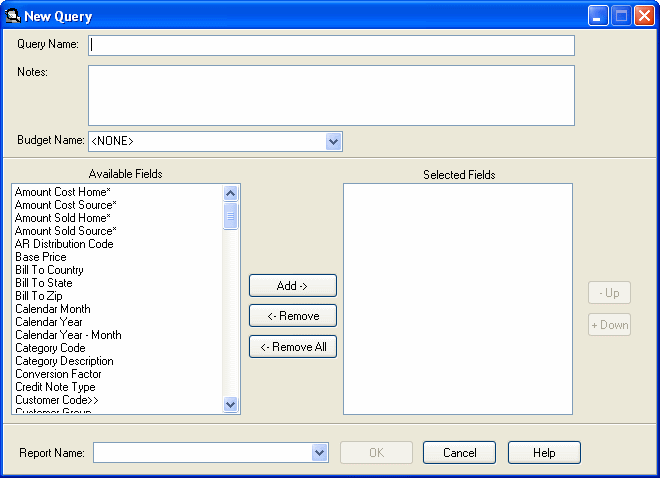
Image of New Query screen.

  1. Select a unique name for your query (named query).
  2. Add any notes or comments you may want.

  3. Program displays all available fields from the Sales Analysis file. The ‘*’ indicates a field that will be accumulated.

    Click on the picture for more information.
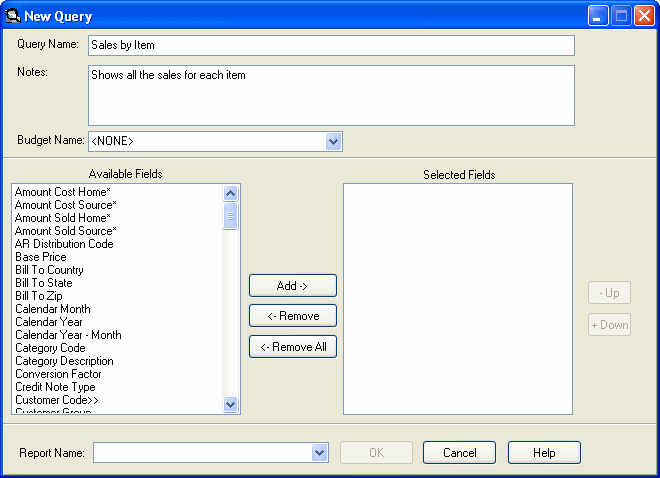
    Image of New Query screen.

  4. Select a Budget Name from the list of available budgets. The budget must already exist. The query does not create the budget; the budget is associated with the query. If a budget is associated with the query, 6 budget fields appear in the available fields list. To create budgets, see Enter/Edit Budgets.

    The program notifies you that you are about to add a budget to the query and any selected budget fields will be reset.
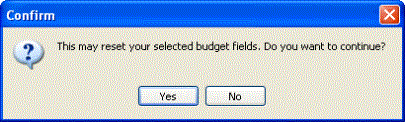
    Image of message notifying that this may reset your selected budget fields and confirming that you want to continue.

    Click on the picture for more information.
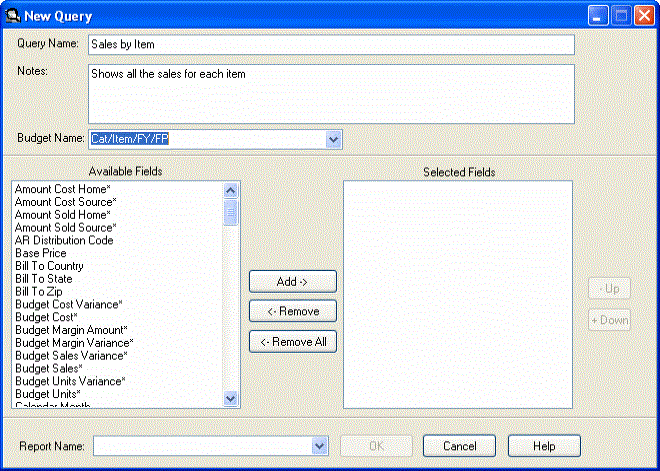
    Image of New Query screen.

  5. Select fields from the available fields list. Add them to the selected fields list by clicking the Add button, dragging and dropping them or double clicking on a single field.

    Click on the picture for more information.
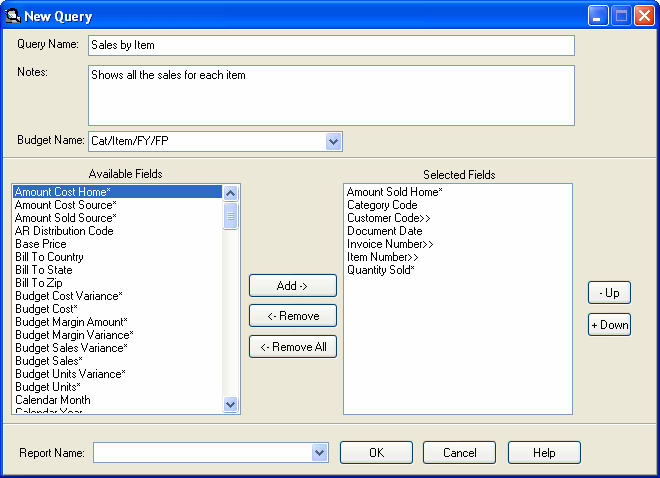
    Image of New Query screen.

  6. The order of the fields determines the sorting and summarizing levels of the query. Use the Up or Down buttons to change the order of the fields.

    Click on the picture for more information.
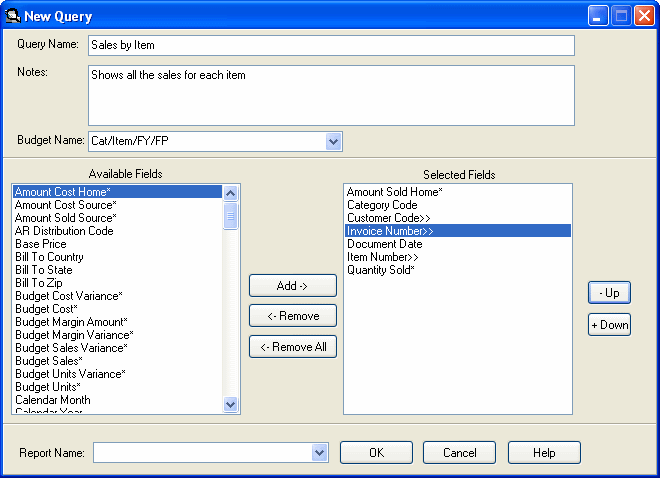
    Image of New Query screen.

  7. Select a Crystal Report Name from the list of available reports. The report must already exist. The query does not create a report; the report is associated with the query. These reports are stored in the Crystal subdirectory of the UX program directory.

    Click on the picture for more information.
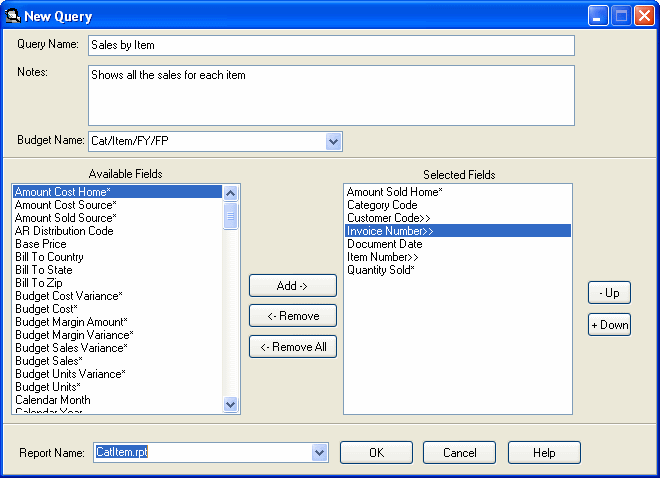
    Image of New Query screen.

  8. Click the OK button to move to the main window.

    Click the Cancel button to cancel creating the new query and return to the main window.

  9. If a budget is associated with the query, the budget fields are automatically added as the first fields in the query.
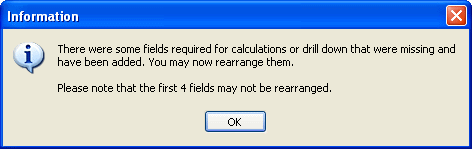
    Image of Information screen stating there were some fields required for calculations or drill down that were missing and have been added.

    If drilldown fields are selected, a dialog confirms extra fields being added so that the drilldown will function correctly.
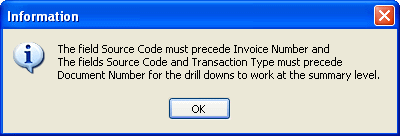
    Image of Information screen.