
Sales Analysis allows you to create sales or forecasting budgets. This feature allows more detailed budgets than are typically used in the General Ledger.
In the same way the Item Evaluation report (I/C subledger) gives the details for the Inventory-on-Hand G/L accounts, Sales Analysis budgets are the "subledger" for G/L budgets on Sales G/L accounts.
Budgets are based on available Sales Analysis fields (for example, fiscal year, fiscal period, quarter, category, item, salesperson, etc). You can enter budget values for units (quantity), sales dollars and cost dollars.
You can create comparative reports and inquiries with budgeted sales and actual sales data, and display variances, with the Inquiry and Report Engine.
We recommend that you use two digits for fiscal periods (for example, 01,02) to display and print periods in the correct order. You should also specify the Fiscal Year if selecting the Fiscal Period or Quarter.
You can also import and export budget data.
To Enter/Edit Budgets:
- Open the Budgets folder
(double-click Budget).

- Run the Enter/Edit Budgets
program (double-click Enter/Edit Budgets)
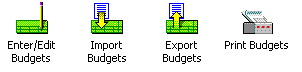
- Use the Enter/Edit Budgets program to create and edit budgets.