
 See Also
To attach a Crystal report to a query, choose one of these options:
Then:
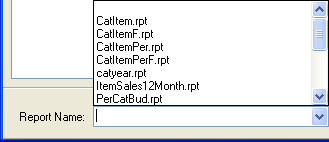
- Select a Crystal Report
name from the available reports in the drop-down list. It is important
to know the parameters defined in the Crystal Report and ensure that the
appropriate fields are chosen in the Query.
The Report Name drop-down list is at the bottom of the New or Modify window (shown below).
Click on the picture for more information.
- Click OK to accept the report name and return to the main window.