
Sorting a Query
A query is sorted in the Results window.
- The default order for sorting data in the Results window is in ascending order.
- You can sort the query on up to 3 fields.
To sort a query:
- Click the Sorting button
to open the Sorting dialog box.
Click the picture for more information.
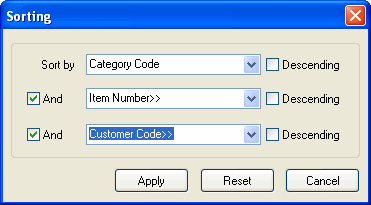
- Click the Sort By down-arrow
to reveal the available sort by fields.
If you select Descending, the sort order of the Sort By field displays the highest value first.
- Use the And check box to add or remove fields from the sort.