Image of Update Description screen. Image of Update Description screen. Image of Update Description screen. Image of Update Description screen. Image of Update Description screen. Image of Update Description screen.

Update Descriptions

To Update Descriptions:

  1. Open the Setup folder (double-click Setup).

    Image of Main Menu icons, including Setup Details Invoice History, Budget, and Inquiry & Reporting.

  2. Open the Update Descriptions form (double-click Update Descriptions).

    Image of Setup menu including Setup Options, Clear Data, Consolidate Detail, Update Descriptions, Data Integrity Check icons.

  3. Select which fields to update in Sales Analysis to match Sage 300.
  4. Click the Update button to update the selected fields.

    Click on the picture for more information.
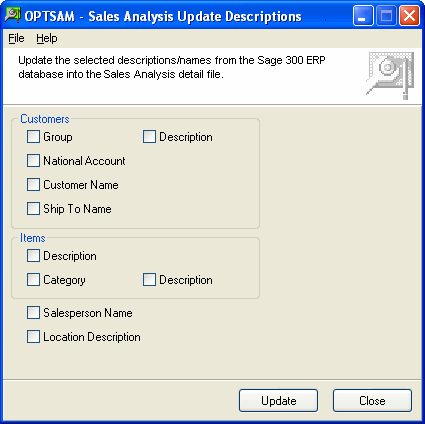
    Image of Update Descriptions screen.

  5. Click on the Close button to close the Update Descriptions program and return to the desktop.