
Export Details
Details can be exported from the sales detail file to a CSV file, which can be opened in a spreadsheet. Changes can then be made in preparation for importing the changes back to the sales detail file.
To Export Details:
- Open the Details folder
(double-click Details).

- Run the Export Details
program (double-click Export Details)
- Select which fields to
export and select the export options.
Click on the picture for more information.
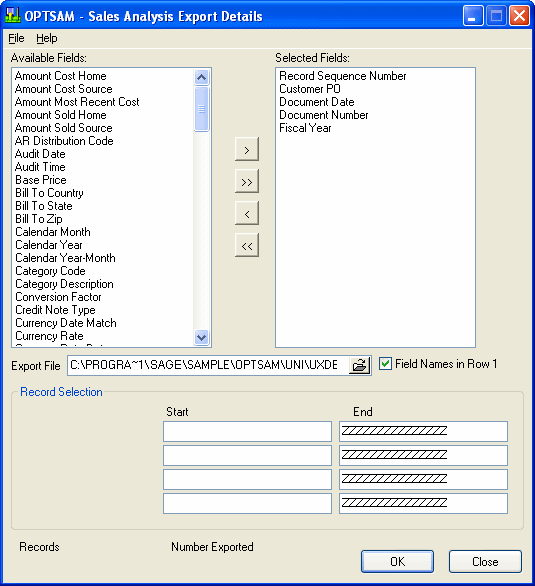
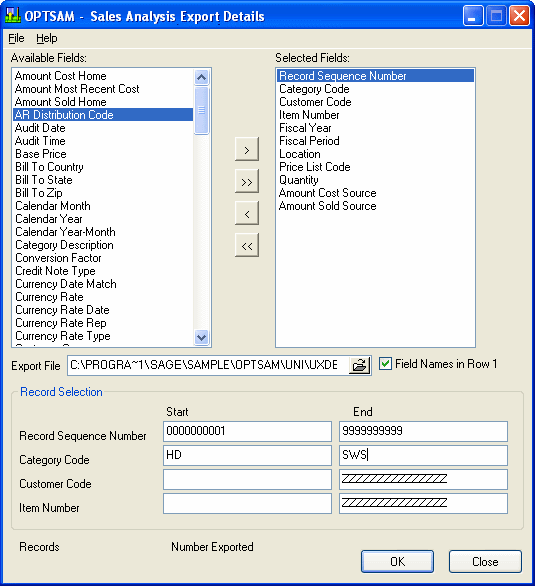
- Select which fields to export by moving fields from the available fields list to the selected fields list. If you are going to import the records back in, the Record Sequence Number must be used as the first field for exporting.
- Select which file to export the data to.
- Specify the start and end of the first four selected fields.
Click on the picture for more information.
- Click the OK button to export.
- Click the Close button to exit the Export Details program.
Note: If you are going to import the records back into the sales detail file, the Record Sequence Number must be used as the first field for exporting. This first field of the import file is used to identify and match the import file to the sales detail file.